> ## Documentation Index
> Fetch the complete documentation index at: https://help.teable.ai/llms.txt
> Use this file to discover all available pages before exploring further.
# Base Invitation
> Manage permissions at the base level. Invite members to a specific base without granting access to the entire space for more granular and secure data collaboration.
## What is a Base Collaborator?
A base collaborator is a member invited to a specific base only. Unlike space collaborators, they can only access the bases they've been invited to and cannot see other bases in the space.
## Adding Base Collaborators
Enter any base and click the `Invite` button in the top-right corner. Two methods are supported:
* **Invite by email**: Enter the recipient's email address, set the base permission level (e.g. "Creator"), and click **Send Invitation**.
* **Invite by link**: Switch to the "Invite via Link" tab to generate a dedicated invitation link. Copy and share the link. Recipients can join by clicking it.
After sending an email invitation, you can copy the direct Base link shown in the panel and send it separately. The invitee also receives an in-app notification that opens the Base.
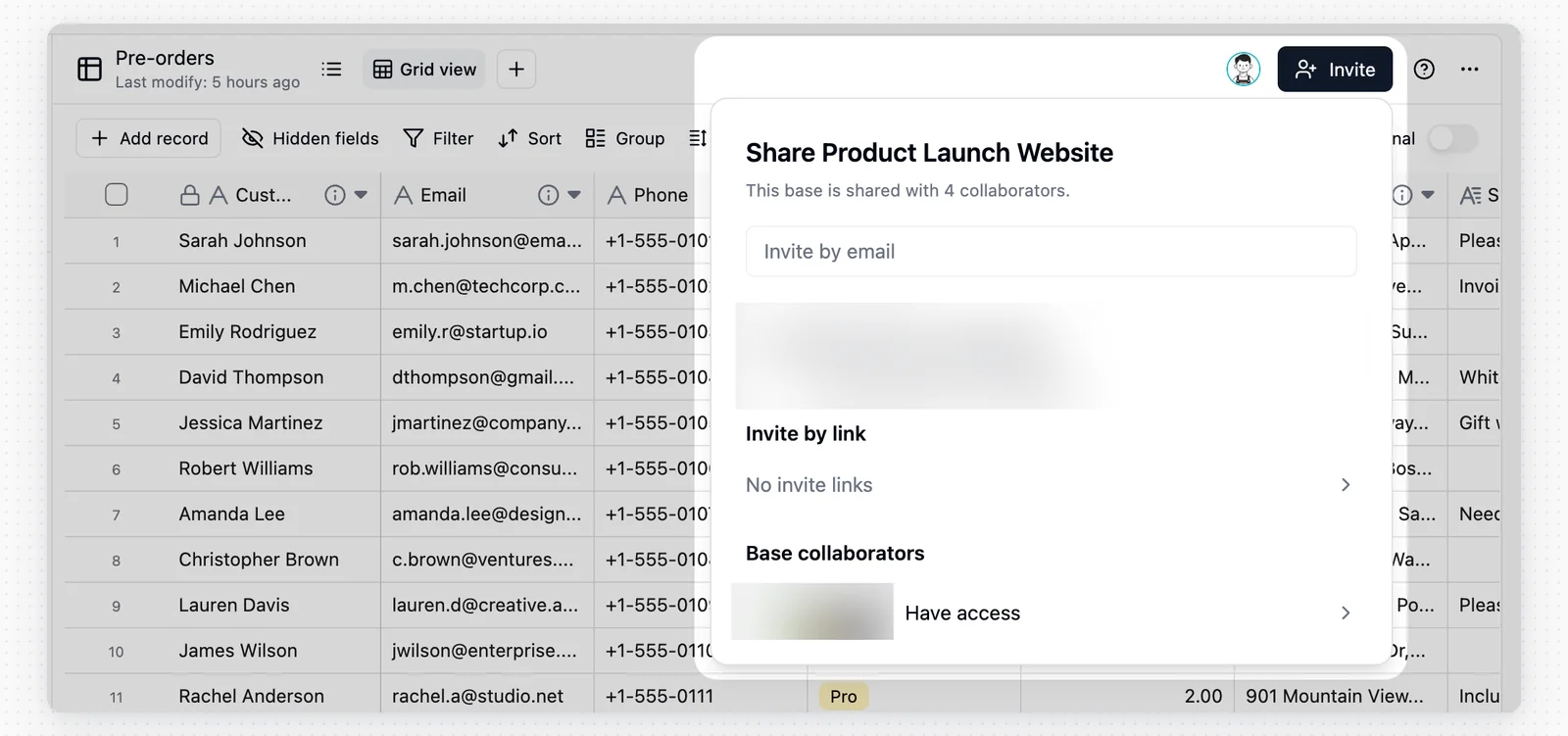 In the invitation panel, you can view all users who currently have access to the base:
* **Base collaborators**: Members invited directly to this base only.
* **Space collaborators**: Shown with a "Space" badge next to their name, indicating they are space-level members who automatically inherit access to this base.
In the invitation panel, you can view all users who currently have access to the base:
* **Base collaborators**: Members invited directly to this base only.
* **Space collaborators**: Shown with a "Space" badge next to their name, indicating they are space-level members who automatically inherit access to this base.
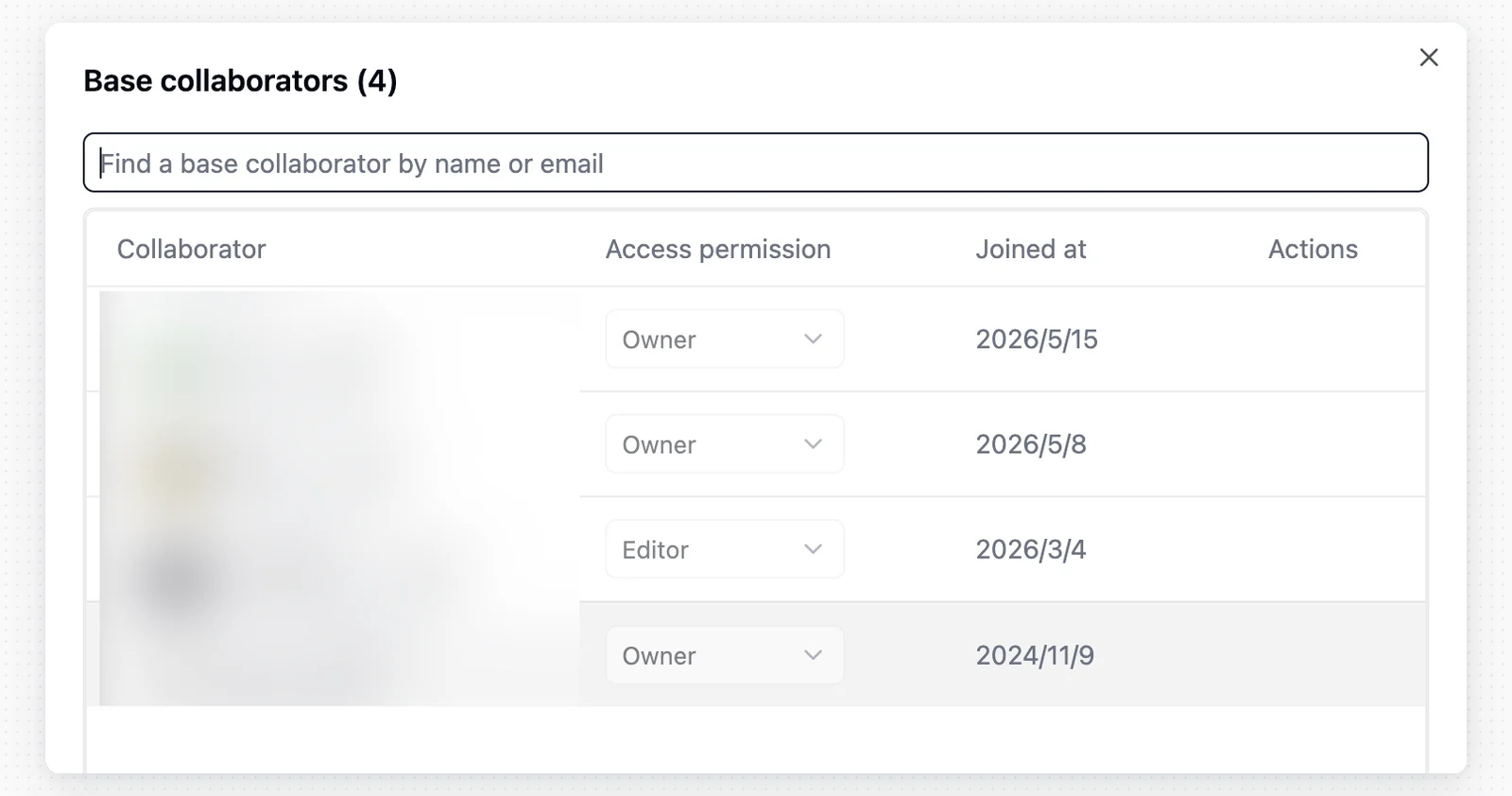 The base offers four permission roles to support different levels of collaboration. For a detailed permission comparison, see [Permission Details](/en/basic/space/space-permission).
For finer-grained control at the table, field, or record level, use the [Authority Matrix](/en/basic/authority-matrix) feature.
| Role | Description |
| --------- | ---------------------------------------------------------------------------------------------------- |
| Creator | Can perform creation actions, modify table structure, edit automations, and enable authority matrix. |
| Editor | Can modify data. |
| Commenter | Can comment on records but cannot modify data. |
| Viewer | Can view but cannot comment. |
## Use Cases
Base invitation is designed for external collaborators. For example, a freelance designer hired to organize an asset library can be invited to that base alone with **Editor** permission, without seeing any other bases in the space.
## Notes
* **Permission inheritance**: A space Manager automatically has full access to all bases in that space and cannot be downgraded at the base level.
* **Link security**: Anyone who obtains an invitation link can attempt to join the base. If a link is leaked, you can revoke it by clicking the X next to it in the invitation panel.
When the [Authority Matrix](/en/basic/authority-matrix) and [Permission Details](/en/basic/space/space-permission) coexist, only **Manager** users are exempt from Authority Matrix restrictions. All other users are subject to it.
The base offers four permission roles to support different levels of collaboration. For a detailed permission comparison, see [Permission Details](/en/basic/space/space-permission).
For finer-grained control at the table, field, or record level, use the [Authority Matrix](/en/basic/authority-matrix) feature.
| Role | Description |
| --------- | ---------------------------------------------------------------------------------------------------- |
| Creator | Can perform creation actions, modify table structure, edit automations, and enable authority matrix. |
| Editor | Can modify data. |
| Commenter | Can comment on records but cannot modify data. |
| Viewer | Can view but cannot comment. |
## Use Cases
Base invitation is designed for external collaborators. For example, a freelance designer hired to organize an asset library can be invited to that base alone with **Editor** permission, without seeing any other bases in the space.
## Notes
* **Permission inheritance**: A space Manager automatically has full access to all bases in that space and cannot be downgraded at the base level.
* **Link security**: Anyone who obtains an invitation link can attempt to join the base. If a link is leaked, you can revoke it by clicking the X next to it in the invitation panel.
When the [Authority Matrix](/en/basic/authority-matrix) and [Permission Details](/en/basic/space/space-permission) coexist, only **Manager** users are exempt from Authority Matrix restrictions. All other users are subject to it.