

Organization Management
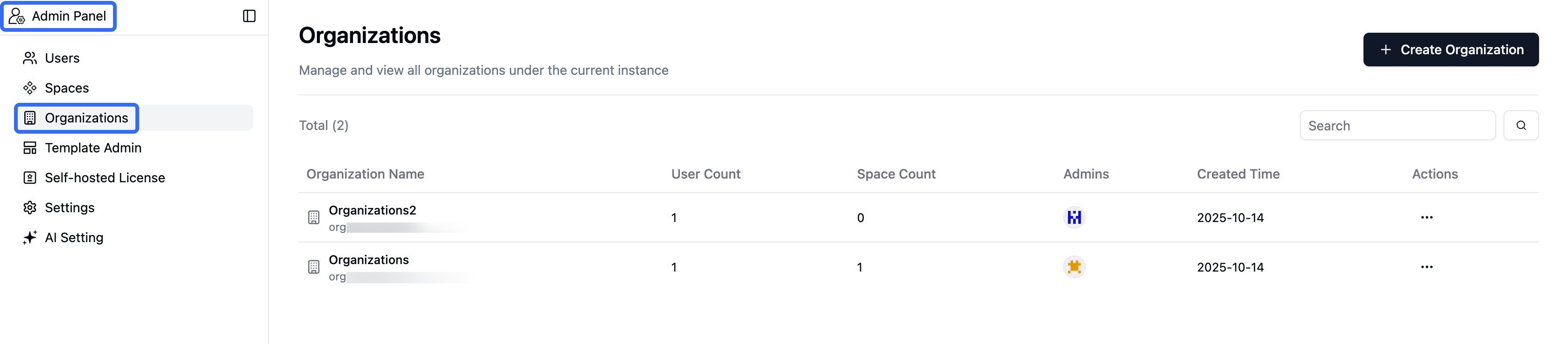
Instance administrators access the organization management panel viaAdmin Panel > Organizations
1. Organization Management
In the organization management interface, you can manage multiple organizations within a single Teable instance, with each organization’s data being independent.Creating an Organization
- Click the
+ New Organization - Enter the organization name
- Click confirm to create
Organization List
The organization management interface displays detailed information for all organizations, including:- Organization Name: The name of the organization
- User Count: Total number of users in the current organization
- Space Count: Total number of spaces created in the organization
- Admins: Administrators assigned within the organization
- Created Time: When the organization was created
- Search: Support for quick organization search by name
Organization Operations
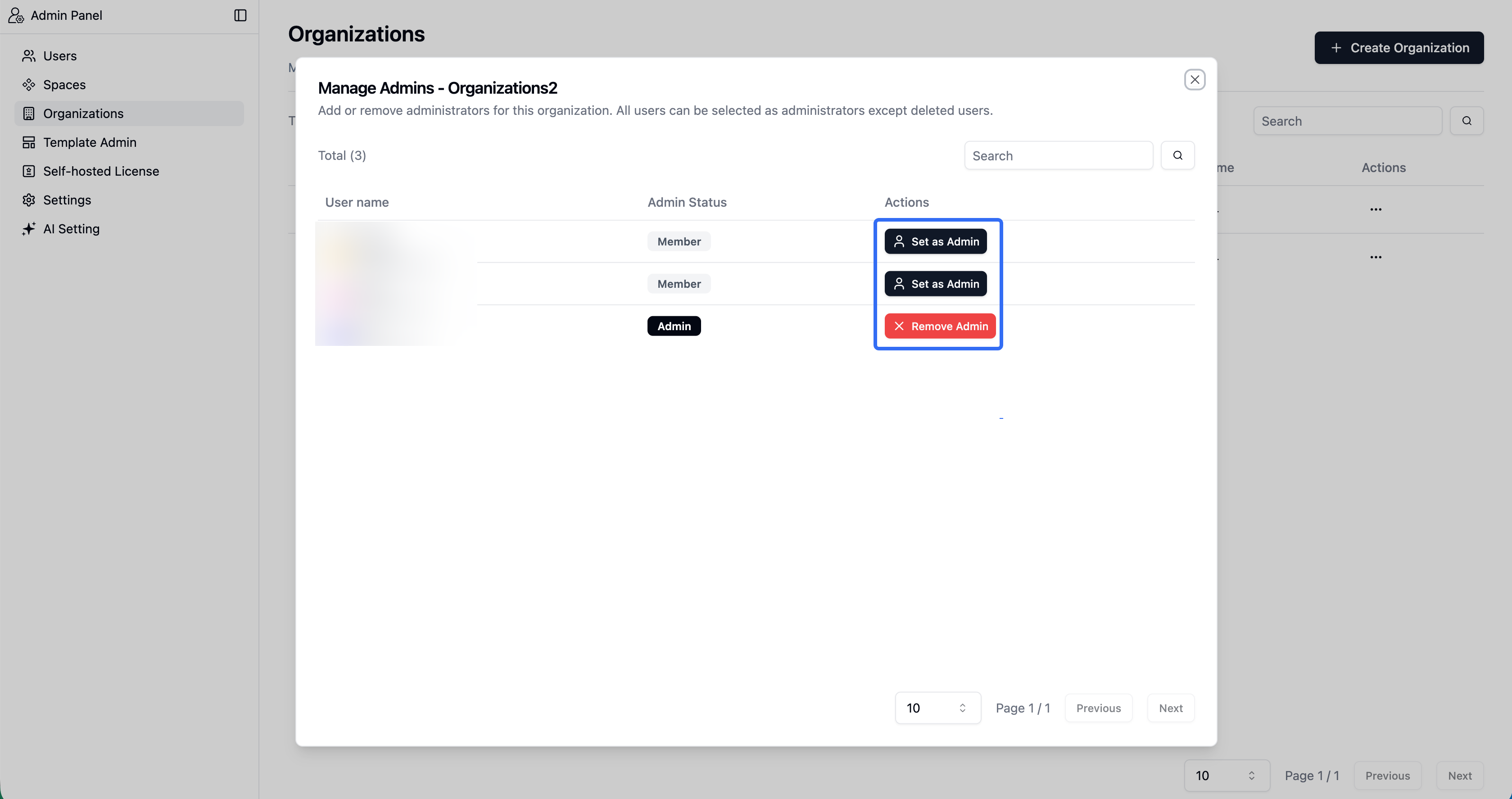
- Administrator Settings: Add or remove administrators for this organization. All users can be selected as administrators except deleted users
- Delete Organization: The organization and its related settings will be deleted and this operation cannot be undone - proceed with caution
2. Tiered Administrator System
Teable adopts a tiered administrator design, providing two different administrator roles: instance administrators have management privileges for the entire Teable instance, while organization administrators focus on managing specific organizations.Instance Administrator
Scope of Authority: Entire Teable instance- Manage all organizations
- Configure system-level settings
- Set/remove organization administrator permissions
Organization Administrator
Scope of Authority: Limited to specified organization- Manage users and spaces within the organization
- View organization data statistics
Administrator Permissions
| Role | Manage Organizations | Manage All Users | Manage Organization Users | Manage Spaces |
|---|---|---|---|---|
| Instance Administrator | ✅ All | ✅ All | ✅ All | ✅ All |
| Organization Administrator | ❌ None | ❌ None | ✅ This organization only | ✅ This organization only |
| Regular Member | ❌ None | ❌ None | ❌ None | ❌ None |
3. Use Cases
Organization functionality is suitable for various scenarios that require managing multiple independent teams within one system. Here are typical application cases:Enterprise Department Management
Suitable for data isolation and independent management between different departments within large enterprises. Each department can have its own organizational space with data that doesn’t interfere with other departments, while being maintained by a unified enterprise IT team.Organization functionality requires a subscription license. To upgrade your license, please visit the license management page.