

Available on all Cloud plans; Self-Hosted requires Business or higher.
The AI Field Workflow: A Hands-On Guide to Automated Marketing
Building a Marketing Campaign from Scratch for the “Smart Noise-Canceling Mug”
Step 0: Plant the Seed - The Basic Info
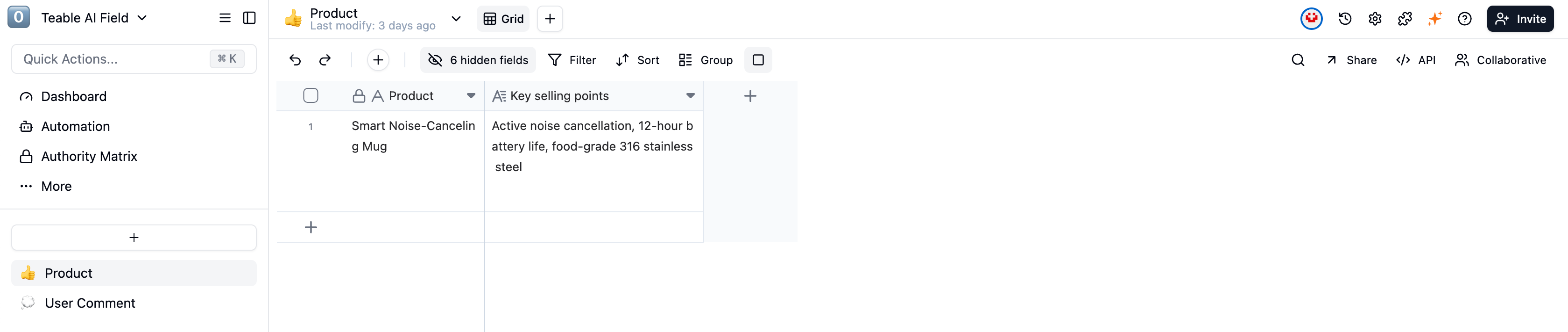
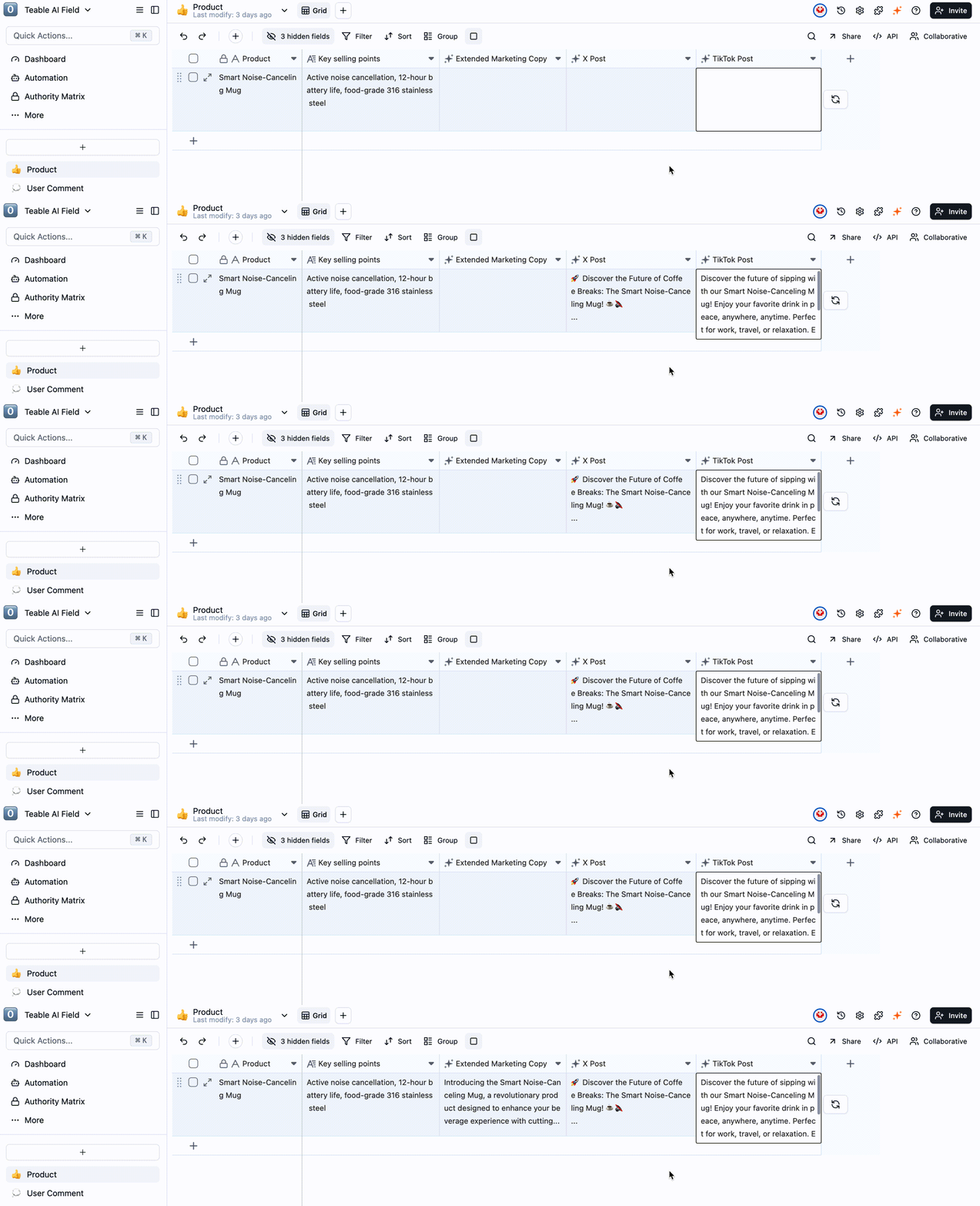
We start with a simple table, containing just two fundamental fields:[Product]: Smart Noise-Canceling Mug[Key selling points]: Active noise cancellation, 12-hour battery life, food-grade 316 stainless steel
Step 1: Generate Content - The AI Writing Assistant
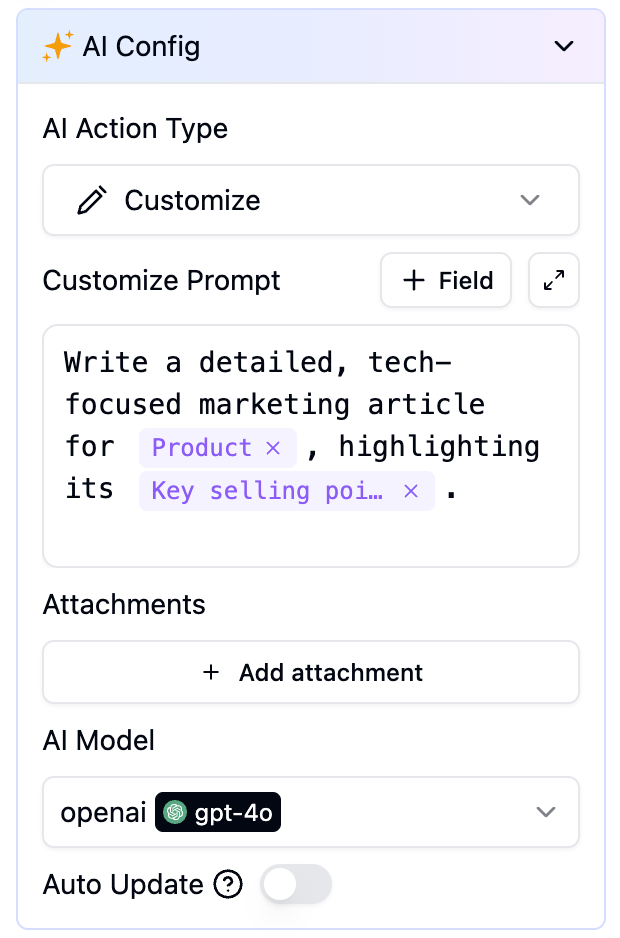
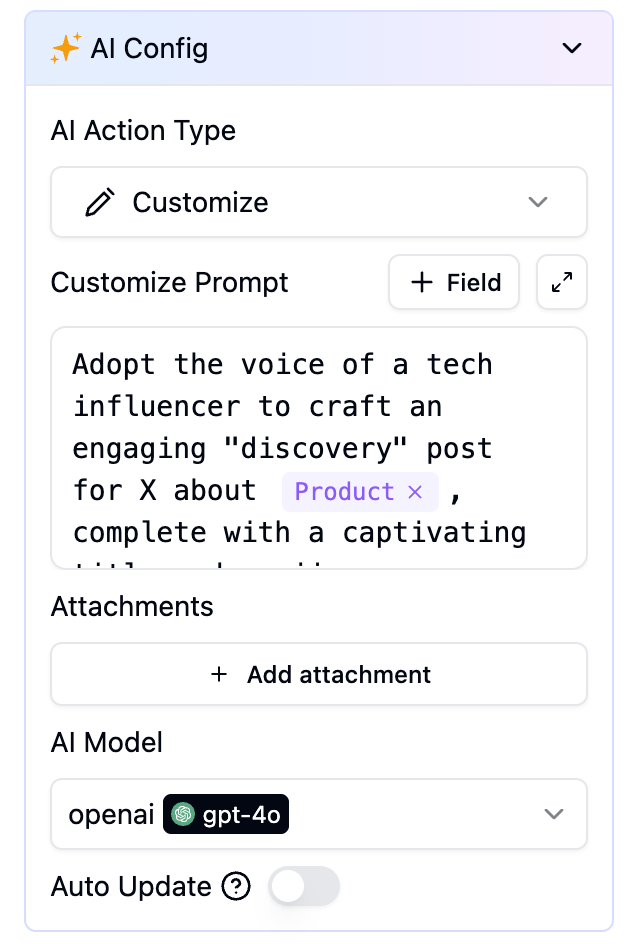
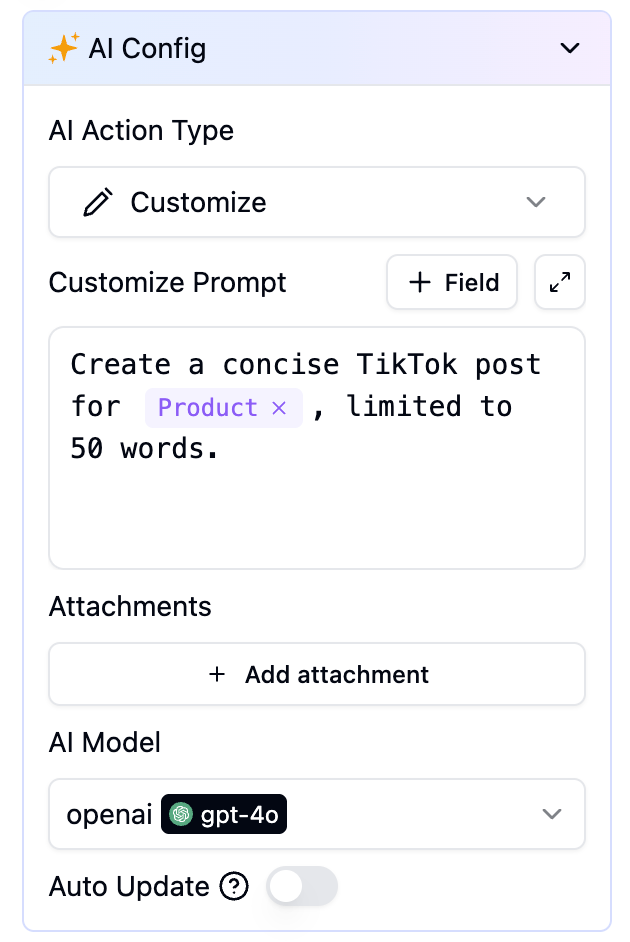
Next, we create three AI Fields that reference our basic info to instantly generate tailored content for different platforms:-
[AI] Extended Marketing Copy: -
[AI] X Post: -
[AI] TikTok post:
Step 2: Visualize the Product - The AI Image Generator
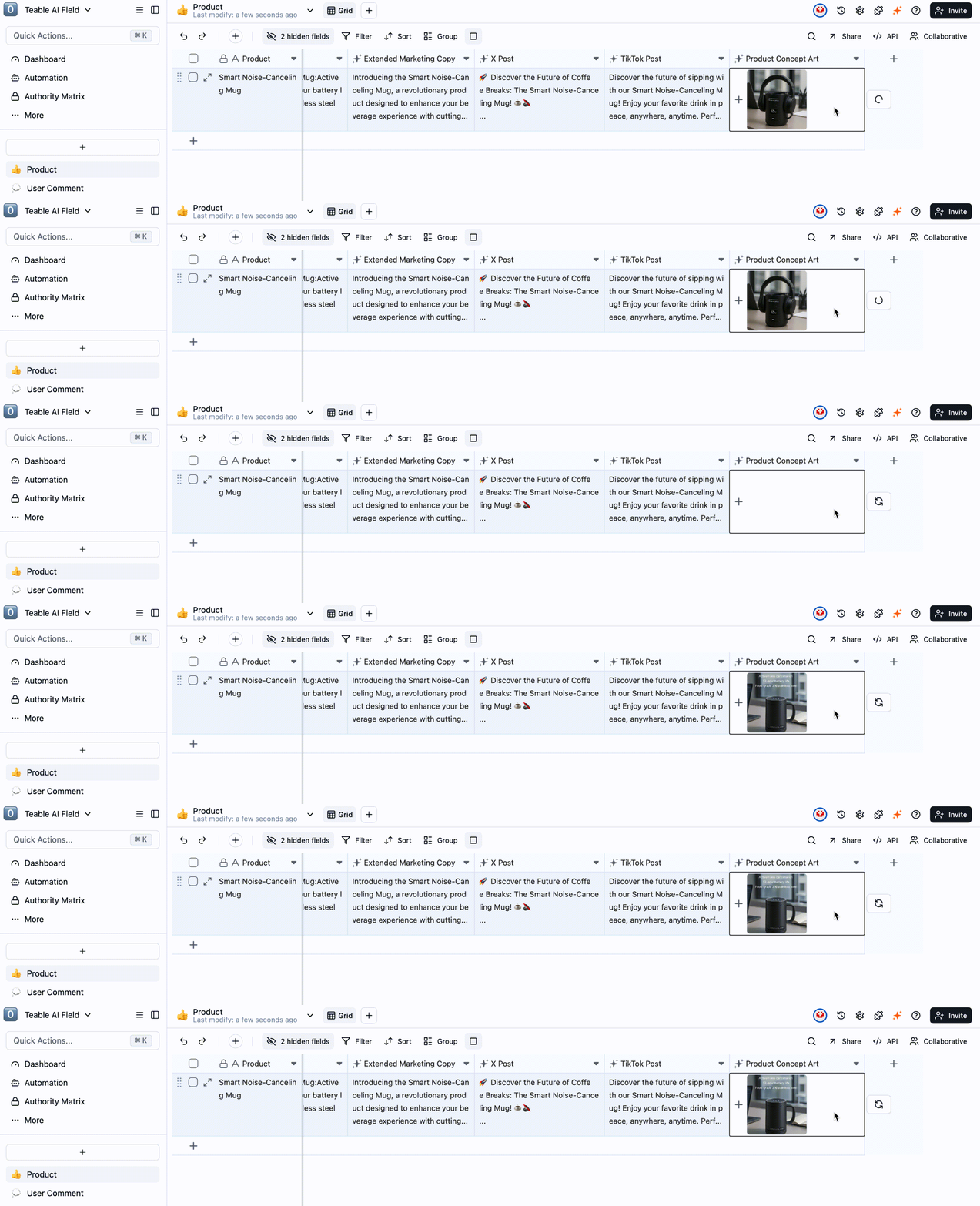
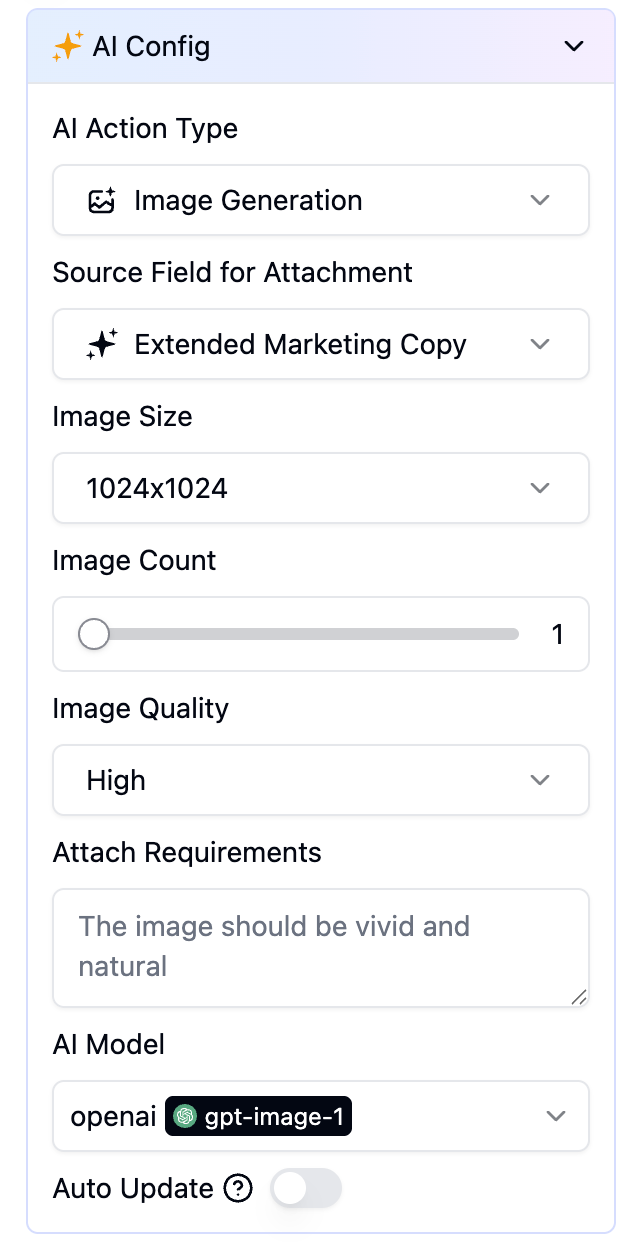
Before generating images (into an Attachment field), please configure a text-to-image model via Space Settings > Integrations > Add Custom AI Model.
[AI] Product Concept Art:
Step 3: Listen to Your Audience - The AI Feedback Analyzer
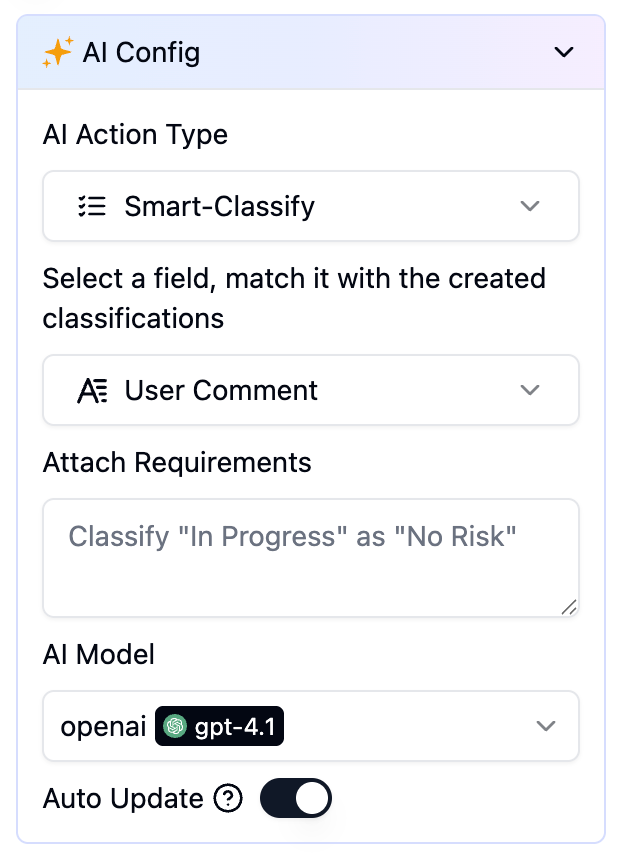
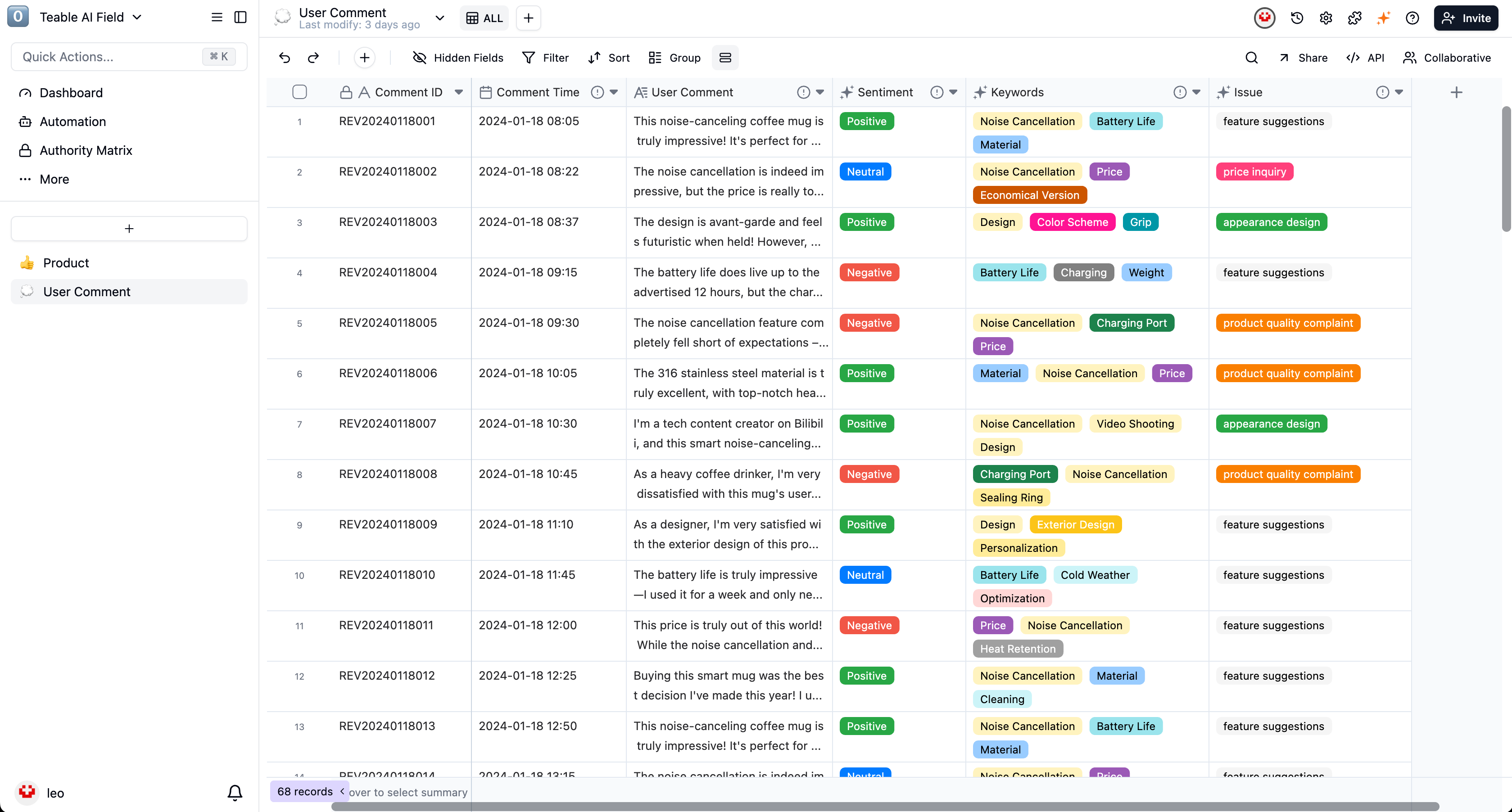
Once the product is launched, paste your collected user comments into another table. AI Fields will then perform an in-depth analysis automatically:-
[AI] Sentiment Analysis: -
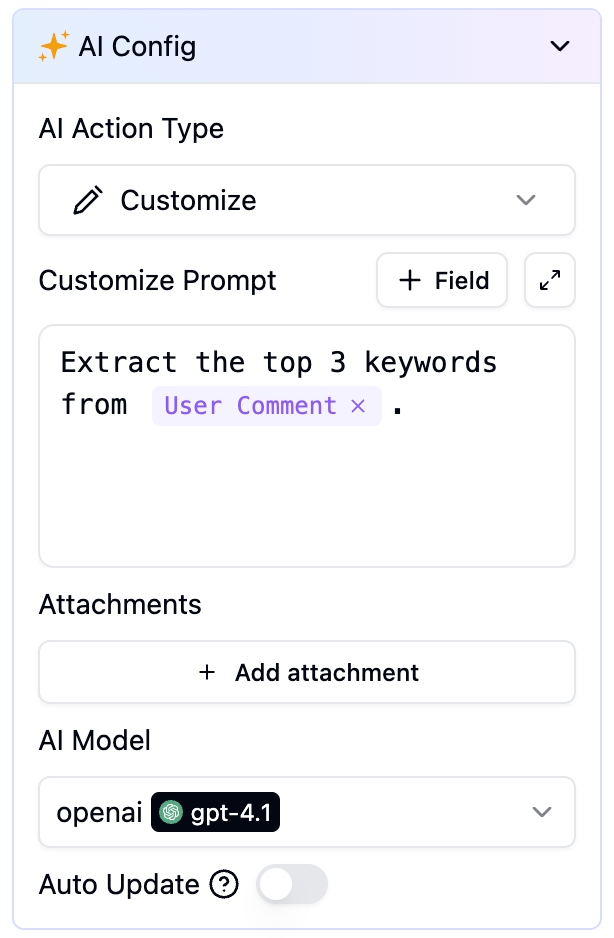
[AI] Keyword Extraction: -
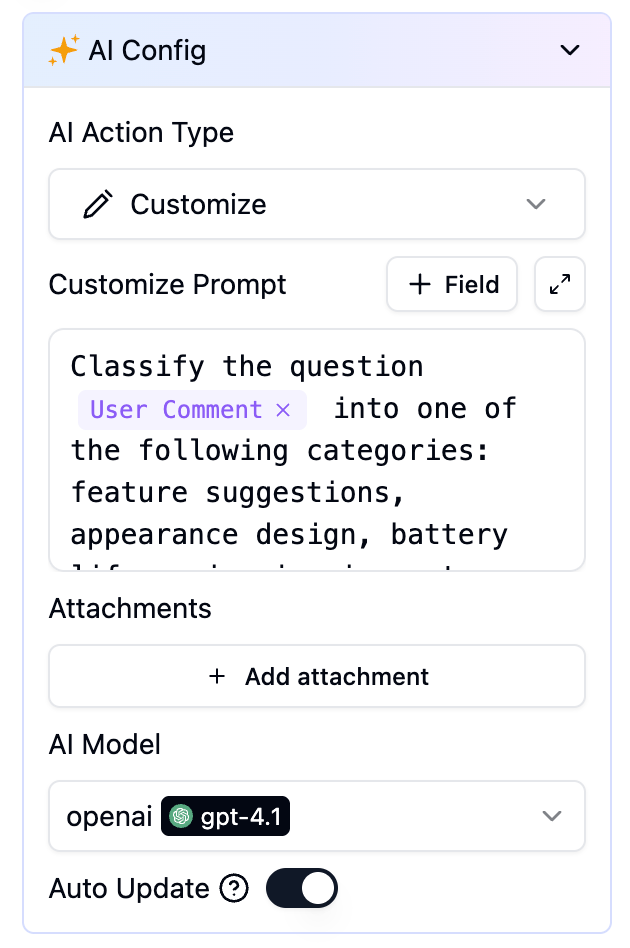
[AI] Issue Categorization:
Step 4: Exploratory Data Analysis with AI Chat
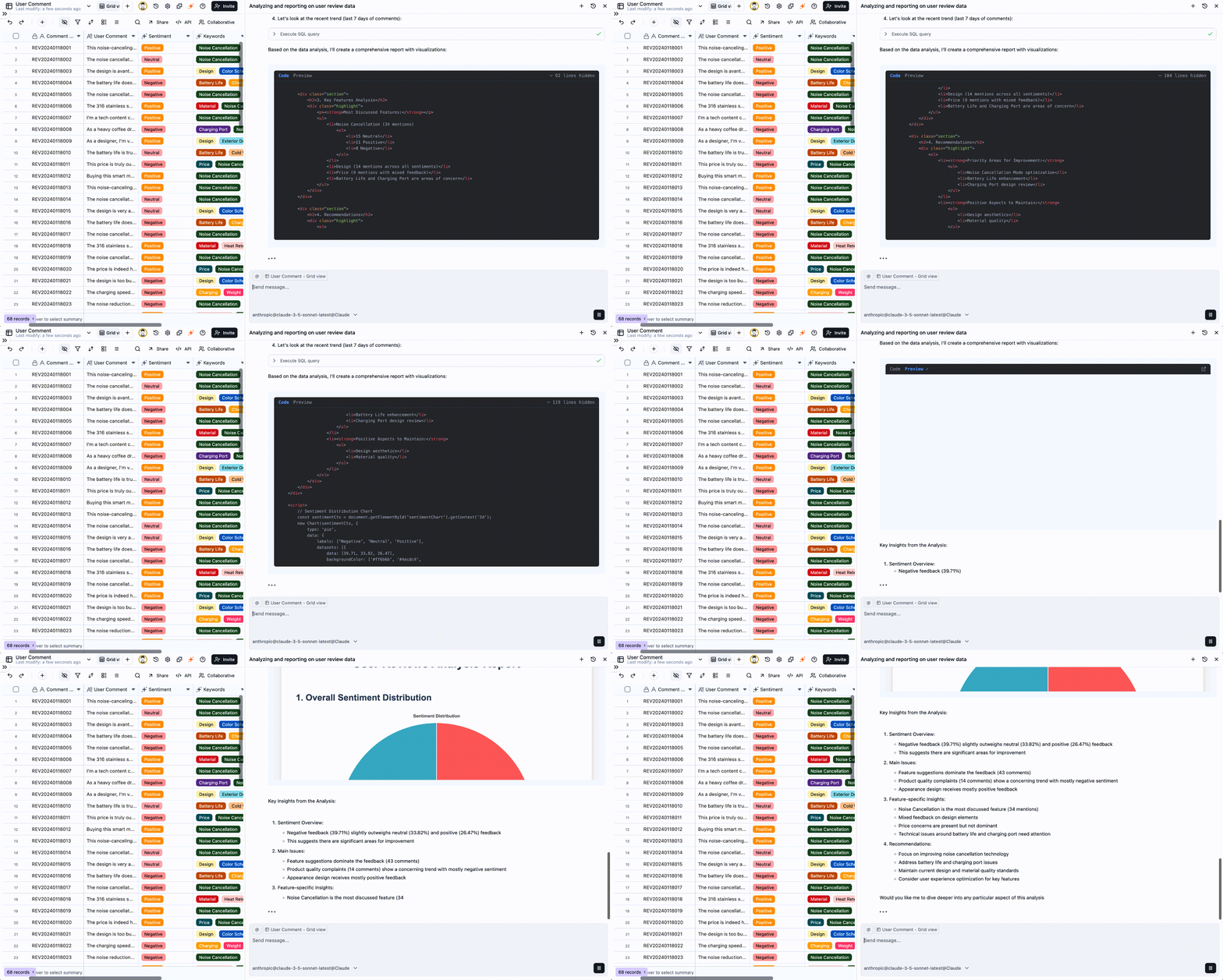
Forget manual filtering and pivot tables. It’s time to talk directly to your data. Open the table’s AI Conversation feature. Think of it as your 24/7 data analyst.- You ask the AI: “What are the main themes in our negative feedback? List the top three.”
- The AI answers: “Based on the data, the most common negative feedback points are: 1. Noise cancellation (especially for voices); 2. Battery life; 3. The casing material is prone to fingerprints.”
Step 5: Automated Data Visualization
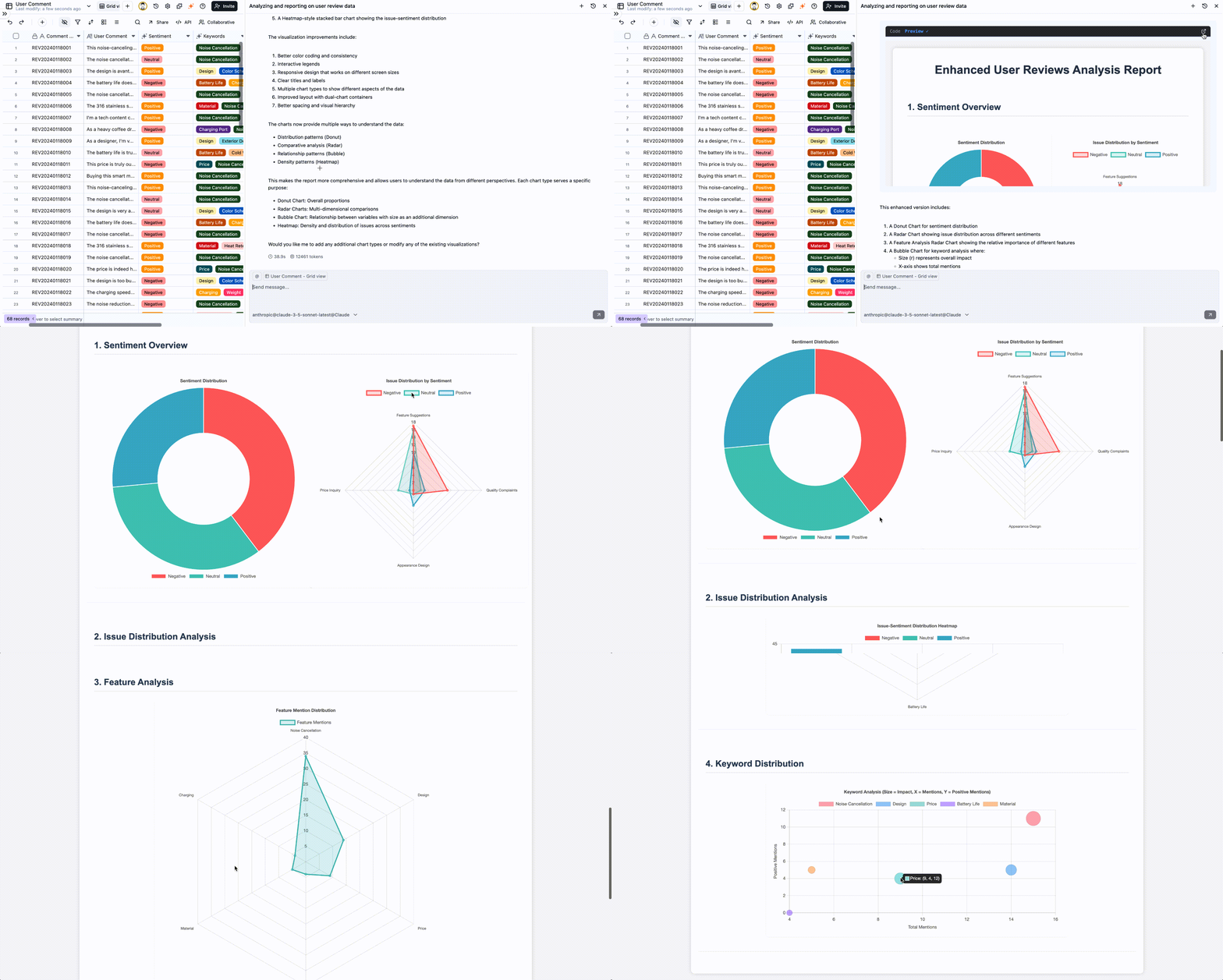
Your conversation yielded a key insight. Now, it’s time to share it with the team.- You command the AI: “Based on that last analysis, create a pie chart showing the count of user feedback by issue category.”
Closing the Loop: From Insight to Action
With this suite of AI tools, you don’t just know that users complained about “noise cancellation”; you’ve drilled down to discover the specific issue is with “high-frequency voices.” You don’t just know what features users love; you can instantly generate a chart to highlight them in your next team meeting. This makes decision-making incredibly simple and precise:- For the Product Team: They receive a report with a clear pie chart of user-reported issues. They immediately begin work on a next-gen algorithm to improve noise cancellation for human voices.
- For the Marketing Team: They get a bar chart showing the most popular selling points. They can now refine their ad campaigns to focus on “sleek design” and “temperature retention.”
Teable’s AI Fields, AI Conversation, and AI Reporting features work in tandem to take an initial product idea and seamlessly power it through content creation, global marketing, and market analysis. The process culminates in a data-driven insights report ready for the boardroom, creating a true end-to-end workflow from idea to intelligent decision.